WebP to JPG or PNG on Windows: one file, or a whole Downloads folder at once
You saved an image and got a .webp that half your programs won’t open. Here’s why, the rule for transparency, and how to convert one file or a folder of them without uploading anything.
Why you keep getting WebP
Websites serve WebP because it’s smaller: Google’s own FAQ says WebP “typically achieves an average of 30% more compression than JPEG”. When you use Save image as, the browser saves the bytes it received, so you get the format the site chose. The why Chrome saves images as WebP page explains the mechanism.
Whether Windows itself opens WebP depends on an optional Microsoft Store package being present, which is why Explorer thumbnails come and go between PCs. Simple Image Converter carries its own WebP decoder, so it doesn’t matter.
Transparency: PNG keeps it, JPG fills it
WebP can carry an alpha channel (Google’s FAQ: “WebP supports 24-bit RGB color with an 8-bit alpha channel”). JPG can’t. So the rule when converting a logo or a cut-out is:
- WebP → PNG keeps the transparency.
- WebP → JPG flattens it onto a background colour, which you should choose on purpose.
We tested it on 16 Sep 2026 with a WebP containing a rounded panel on a transparent background:
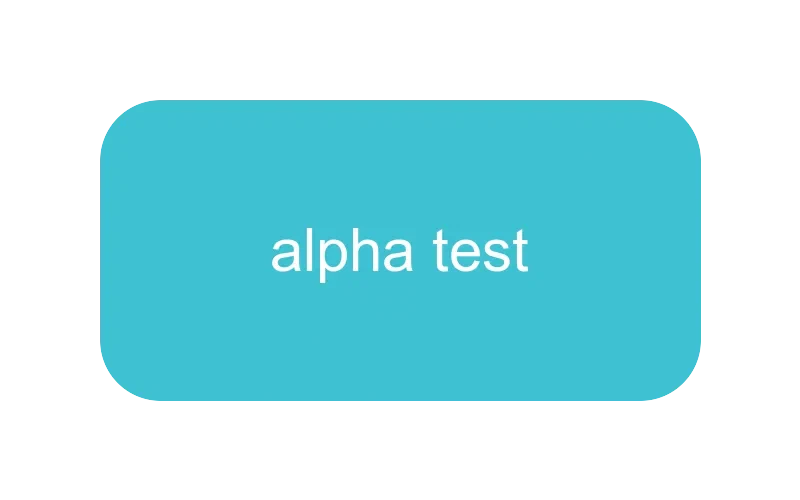
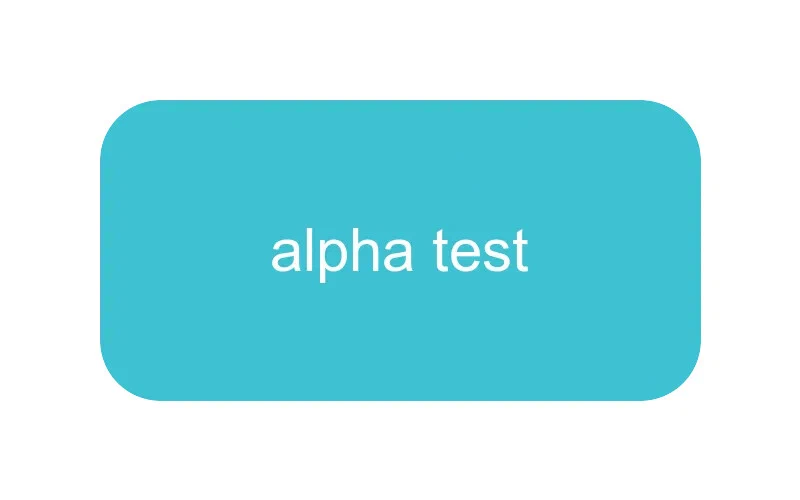
For photos, none of this applies: a WebP photo has no transparency and JPG at quality 90 is the right target. In our test, a 2,048-px WebP photo of 581 KB became a 1.05 MB JPG at quality 90 and a 4.6 MB PNG. PNG is a poor choice for photographs; the app’s Web images → PNG preset is for graphics and screenshots, and JPG is one click away for photos.
One file or a folder, the same way
Drop the file, or the whole Downloads folder, onto Simple Image Converter. Click Web images → PNG, or choose JPG and a background colour, then Convert All. It converts in parallel, skips files it can’t read with a reason, and never overwrites: a name clash becomes name_2.png. It decodes WebP and AVIF as well as HEIC, so a mixed folder is one pass. In our timing, 12 WebP photos converted to JPG in 0.13 seconds and to PNG in 2.3 seconds on an 8-core desktop using the app’s decoding library.

It saves JPG, PNG, WebP (lossy or lossless), TIFF, BMP, ICO and PDF, and it runs offline on Windows and SteamOS/Linux with no upload and no daily cap. One-time purchase on Steam.
Related guides
- Why Chrome saves images as WebP (and how to get a JPG or PNG instead)
Chrome isn't converting your images: the website served WebP and 'Save image as' keeps what it received. What's actually happening, why it's happening more, and how to turn the .webp files you've saved into JPG or PNG in one pass with Simple Image Converter.
- AVIF to JPG or PNG on Windows: what AVIF is, why you're getting it, and how to convert a folder
AVIF is the newest web image format and Windows programs are still catching up. What it is, why sites serve it, and how to convert AVIF to JPG or PNG on Windows 10 and 11 in bulk with Simple Image Converter, with a measured size comparison.
- Bulk convert HEIC to JPG: whole folders of iPhone photos at once, on Windows or Linux
How to convert hundreds or thousands of iPhone HEIC photos to JPG in one pass with Simple Image Converter: why the usual routes stop at a few files a day, a timed conversion test, what happens to orientation and location data, and a folder walkthrough.