Combine photos or scans into one PDF offline on Windows or Linux, at full resolution
The top results for ‘jpg to pdf’ are websites that want your scans uploaded, and the built-in print-to-PDF route squeezes everything onto letter-sized pages with margins. Here’s how to make a PDF that is exactly your images, offline.
One image per page, page equals image
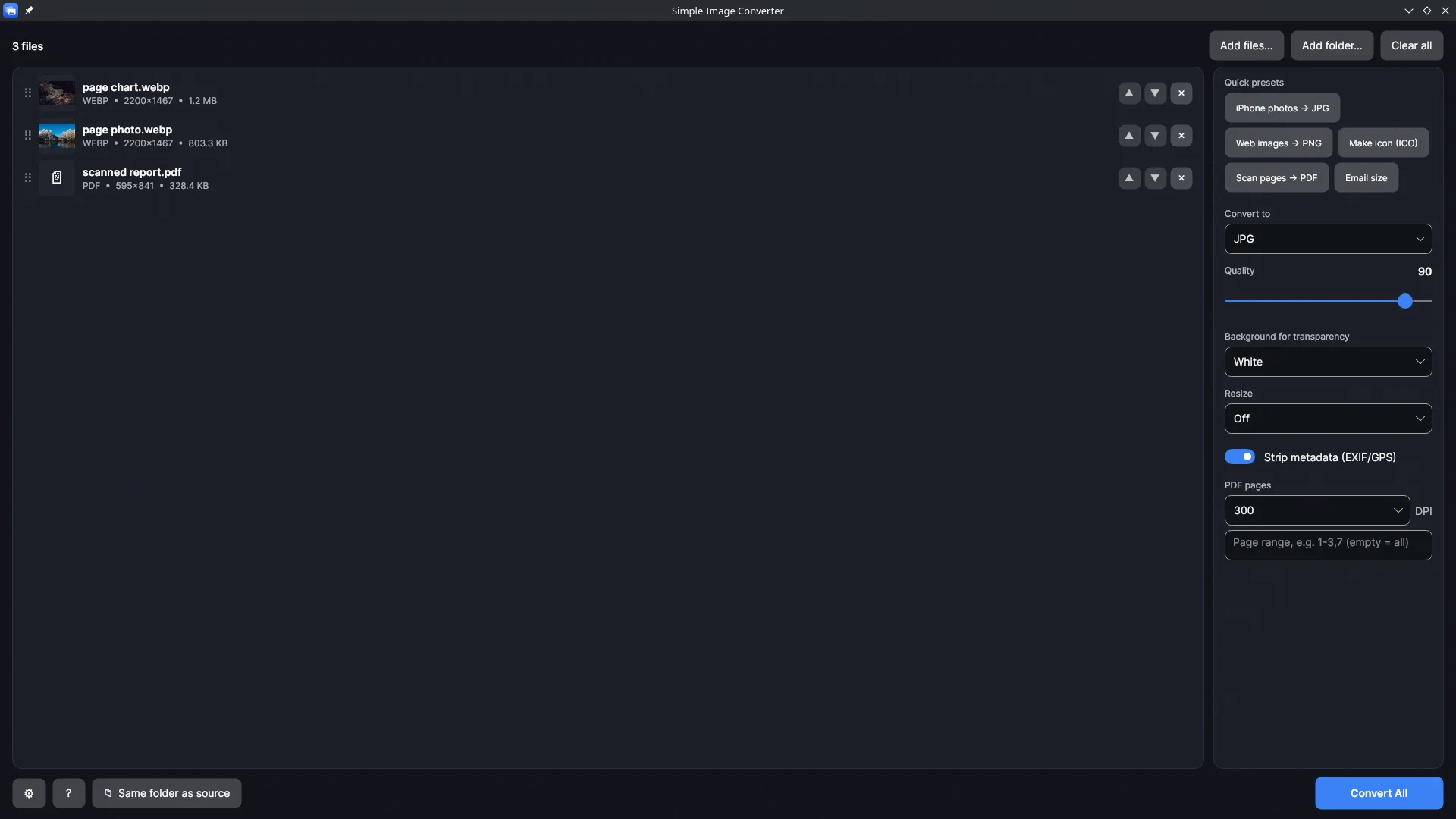
Simple Image Converter puts one image per page, and the page size equals the image size. No paper size, no margins, no fitting: a 2,048 × 1,365 photo becomes a 2,048 × 1,365-point page. We tested this on 16 Sep 2026 with the same kind of PDF library the app uses: three 2,048-px WebP photos became a 3-page PDF whose pages measured 2048 × 1365, 2048 × 1363 and 2048 × 1152 points, each equal to its image.
That’s the right behaviour for scans and photos you want to keep at full quality. It’s deliberately not a page-layout tool: it doesn’t fit images to A4 or Letter, merge existing PDFs, or do OCR, and password-protected PDFs are skipped.
Other details:
- Drag the files into the order you want; that’s the page order.
- It opens HEIC, WebP and AVIF directly, so iPhone scans go straight in without any codec extension.
- Full-resolution pages make large files. If the PDF is for email, run the Email size preset first.
PDF pages out as images
The reverse job comes up as often: someone sends a PDF and you need the pages as images. The app exports pages at 150, 300 or 600 DPI, for a page range or the whole document, to JPG or PNG (or any of its image output formats). From our test PDF, one page at 150 DPI came out at 4,267 × 2,844 px; 300 DPI doubles that in each direction, so use 150 for screens and 300 for print.
Offline, on either OS
Nothing is uploaded, there’s no page limit, and the same app runs on Windows and SteamOS/Linux. If you scan or photograph documents regularly, drag, order, convert is the whole workflow. One-time purchase on Steam.
Related guides
- Bulk convert HEIC to JPG: whole folders of iPhone photos at once, on Windows or Linux
How to convert hundreds or thousands of iPhone HEIC photos to JPG in one pass with Simple Image Converter: why the usual routes stop at a few files a day, a timed conversion test, what happens to orientation and location data, and a folder walkthrough.
- How to make an ICO file from a PNG that doesn't look blurry: multi-size icons for Windows
Why a single-size .ico looks fuzzy in Explorer, which sizes Windows actually uses (16, 24, 32, 48 and 256, from Microsoft's docs), a tested multi-size ICO showing why, Simple Image Converter's one-click Make icon preset, and how to use it for folders and shortcuts on Windows 11.
- Simple Image Converter compared with iMazing, CopyTrans, XnConvert and web converters
What Simple Image Converter does that the usual HEIC converters for Windows don't: whole folders of mixed HEIC, WebP and AVIF in one pass, on Windows and Linux, offline, with location data stripped by default. Facts about each alternative from its own page, no prices.