Video to GIF on Linux and SteamOS: a native app with a size target, in Desktop Mode too
Linux has never lacked ways to make a GIF; what it has lacked is a maintained desktop app that shows you the result before you export and hits a size limit without trial and error. Here’s one, running on this site’s own Linux machine.
A native Linux build, installed from Steam
Simple GIF Maker ships a native Linux build alongside its Windows one. It’s self-contained: the encoder is bundled, so there’s nothing to install from your distribution’s repositories, no codec packages, and no dependency on which version of anything your distro ships. Install from Steam, launch, drop a clip in.
We ran it on this site’s build machine (Ubuntu) with a 10-second 1080p test clip:
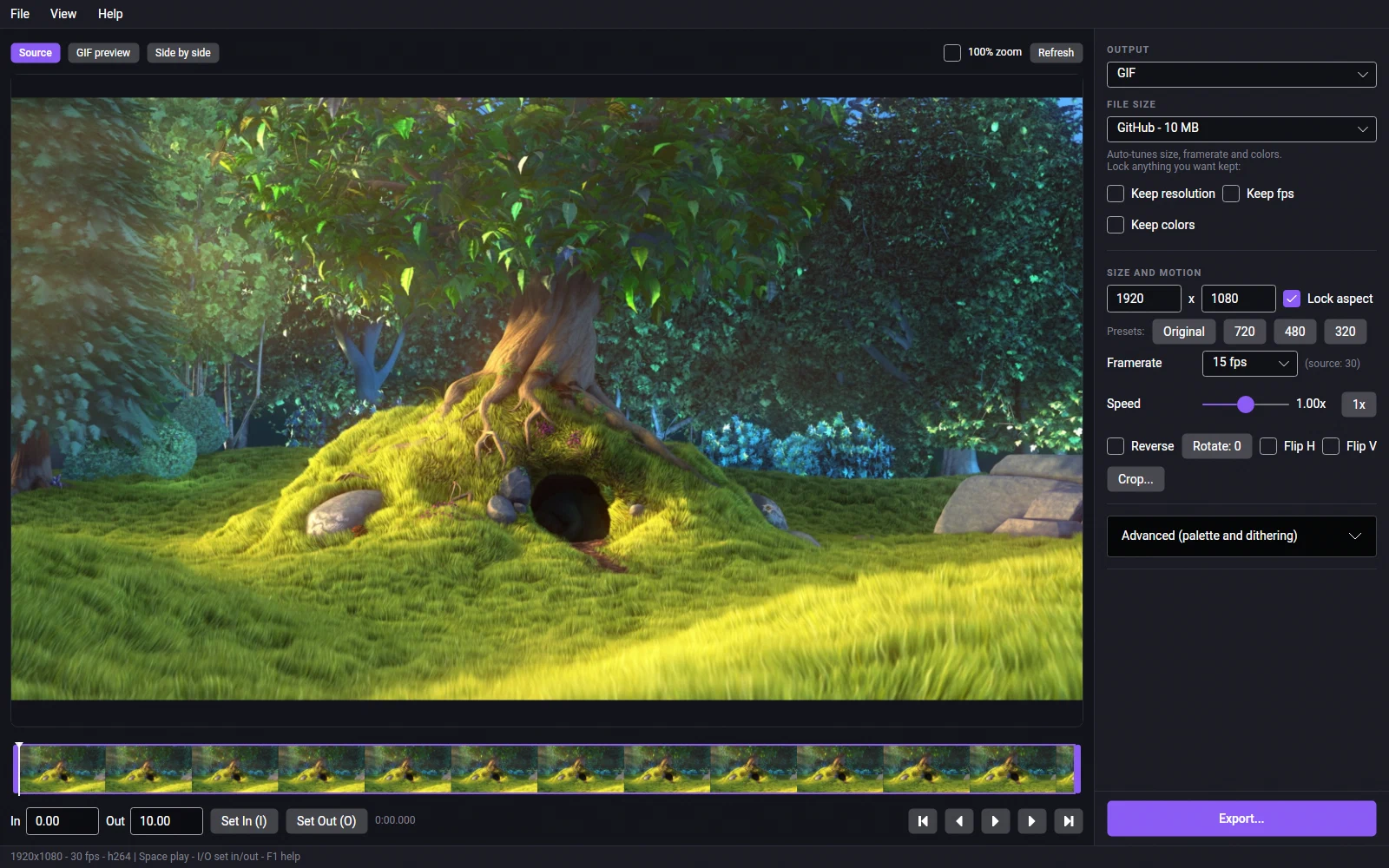
What you get on Linux
- Every input format the Windows build takes: MP4, MOV, MKV, WebM, AVI, WMV, M4V, MPG, MPEG and existing GIFs, with H.264, HEVC, AV1, VP8, VP9, ProRes and more inside them.
- The size target. Type the limit and the app encodes real files until one fits, then reports what it traded. On this machine (an 8-core desktop) a 10-second 1080p clip fitted under 10 MB in 43 seconds, reporting
960 -> 476px wide, 24 -> 13 fps, 256 -> 96 colors -> 8.86 MB. - The preview is the real GIF. Two-pass palettes, four dithering modes, and the size you see is the size you get.
- Trim, crop, resize, speed, reverse, rotate, flip, with keyboard shortcuts.
- Animated WebP as well as GIF, from the same trim.
Screen recordings
The app doesn’t record the screen; it converts the file your recorder saves. On Linux that’s usually a WebM or MP4 from your desktop’s own recorder (KDE’s Spectacle, GNOME’s screenshot tool) or from OBS; on SteamOS, export a clip from Steam’s Game Recording and open it from Desktop Mode. Drop the file in, trim to the moment that matters, set the target, export.
SteamOS and the Steam Deck
Same build, installed from Steam, run in Desktop Mode with the trackpads or a mouse and keyboard. Two Linux notes from the app’s own documentation: dragging the finished GIF into another app isn’t guaranteed under Wayland (use Copy file or Show in folder instead), and on X11 a copied file only survives closing the app if a clipboard manager is running. Game Mode isn’t supported; it’s a desktop app.
What we’d say to a Linux user
If you make GIFs from clips more than once in a while, the difference between “encode, check the size, adjust, encode again” and “type the size, export once” is the whole product. Simple GIF Maker is a one-time purchase on Steam, with no account and nothing uploaded, and the Linux build is the same app as the Windows one.
Related guides
- Why some GIFs look good and others don't: palettes and dithering, measured
What separates a clean GIF from a blotchy one: a palette built from the clip itself, and the right dithering for the footage. Measured on one clip with real file sizes and enlarged crops, and how Simple GIF Maker makes those choices for you with a preview that is the real encode.
- How to make a GIF smaller: what each setting costs, measured on one clip
Why GIFs are so big, and what shrinking one actually costs: width, frame rate, colours, dithering and length measured on the same clip with real file sizes and crops. Then the one-step way with Simple GIF Maker's size target, including shrinking a GIF you already have.