GIF size limits for Discord, GitHub, Steam and Slack, checked against the official pages
Most pages that rank for ‘gif size limit’ contradict each other, and several still quote Discord’s old 8 MB or 10 MB limit. This page lists only limits we could read on the platform’s own page, with the date we checked, and a measured way to hit each one.
Every limit below was read from the platform’s official documentation on the date shown, and each row links to the page it came from. Platforms whose official page we could not fetch (X/Twitter’s help pages blocked automated reading) are left out rather than guessed. This page is re-checked every quarter; if a number here is out of date, email us.
The short version: Discord free accounts get 20 MB, GitHub gives image attachments 10 MB, a Steam store page wants every image under 5 MB, and Slack allows 1 GB. Type any of those into Simple GIF Maker as the target and it produces a file that fits.
Discord
| What | Limit | Source |
|---|---|---|
| Upload, free account Raised from 10 MB in August 2026. Checked before compression on every platform. | 20 MB | Discord — File Attachments FAQ “For non-Nitro subscribers, the maximum file upload is 20MB.” |
| Upload, Nitro Basic | 50 MB | Discord — What are Nitro & Nitro Basic? “Nitro Basic offers a 50MB limit” |
| Upload, Nitro | 500 MB | Discord — What are Nitro & Nitro Basic? “Nitro gives you up to 500 MB” |
| Custom emoji (including animated GIF emoji) JPEG, PNG, GIF or WebP. | under 256 KB | Discord — How to Add Custom Emojis on Discord “Custom emojis must be under 256KB in size and use supported formats like JPEG, PNG, GIF, or WEBP.” |
Discord’s own FAQ adds two things worth knowing: the limit is now checked before compression on mobile as well as desktop, “so the number you see is the number that counts”, and an image over the limit “will be shared as a download instead” of showing inline. The Discord GIF size limit page goes deeper, including a worked emoji example.
GitHub
| What | Limit | Source |
|---|---|---|
| Image or GIF attached to an issue, pull request or comment | 10 MB | GitHub Docs — Attaching files “10MB for images and gifs” |
| Other attached files | 25 MB | GitHub Docs — Attaching files “25MB for all other files” |
| File committed to a repository (a GIF linked from a README) | 100 MiB hard block; warning above 50 MiB; 25 MiB when uploading through the browser | GitHub Docs — About large files on GitHub “GitHub blocks files larger than 100 MiB.” |
| README rendering That is the README text itself, not the images it links to. | content beyond 500 KiB is truncated | GitHub Docs — About READMEs “When your README is viewed on GitHub, any content beyond 500 KiB will be truncated.” |
For a README, the 10 MB figure is the one that matters if you attach the GIF through an issue or comment and paste the link, which is how most people do it. See GIFs for a GitHub README.
Steam store pages
| What | Limit | Source |
|---|---|---|
| Any single image or GIF in the written description | smaller than 5 MB | Steamworks Documentation — Store Page Written Description “ensure that any images are smaller than 5MB” |
| All screenshots and GIFs in the description together | below 15 MB | Steamworks Documentation — Store Page Written Description “please keep the total file size of all your screenshots and GIFs below 15MB” |
| Screenshots (the gallery, not the description) | 1920×1080 minimum, 16:9, at least 5 | Steamworks Documentation — Standard store graphical assets “1920x1080 minimum. 16:9 aspect ratio” |
The 15 MB total is the one that catches developers, because it covers every image in the description together. See GIFs for your Steam store page for a budget worked out across several GIFs.
Slack
| What | Limit | Source |
|---|---|---|
| Any file | 1 GB | Slack Help Center — Add files to Slack “You can add files up to 1GB in size.” |
| Inline image preview | under 25,000 px on the longest side and under 45 million pixels in total | Slack Help Center — Add files to Slack “smaller than 25,000 pixels on the longest side, and less than 45 million pixels total” |
Slack is effectively unlimited for GIFs. The practical ceiling is your colleagues’ patience while a 60 MB GIF loads in a thread.
Not listed: X/Twitter, Reddit, LinkedIn, Mastodon
We only list limits we could read on the official page. X’s help centre and developer documentation refused automated requests on the day we checked, so no number is given here. Third-party pages disagree on X’s GIF limit, which is exactly why we won’t repeat one.
What actually makes a GIF big
GIF stores every frame as an indexed-colour bitmap with simple compression, so the size is driven by three things multiplied together: pixels per frame × number of frames × how noisy the pixels are. We measured all three with a 10-second 1080p clip from Big Buck Bunny (Blender Foundation, CC BY 3.0), encoded with the same two-pass palette pipeline the app uses (256 colours, Sierra dithering, one palette for the clip). Sizes are the real file sizes on 16 Sep 2026.
| Width | 10 fps | 15 fps | 24 fps |
|---|---|---|---|
| 320 px | 4.2 MB | 5.8 MB | 8.4 MB |
| 480 px | 9.8 MB | 13.6 MB | 19.8 MB |
| 640 px | 17.8 MB | 25.1 MB | 36.6 MB |
| 800 px | 28.2 MB | 40.0 MB | 58.8 MB |
| 960 px | 41.0 MB | 58.4 MB | 86.3 MB |
Width matters more than it looks, because pixels scale with the square: going from 480 px to 960 px is four times the pixels and about four times the file. Frame rate is almost linear: 24 fps is roughly 1.5× the size of 15 fps.
The same settings on different footage give very different files. A 10-second stretch of the Sintel trailer (Blender Foundation, CC BY 3.0), which has darker, flatter shots, came out at 7.8 MB at 480 px / 15 fps against 13.6 MB for the bunny clip. That is why no page can tell you “use 480 px for Discord”: the right settings depend on the clip, and guessing them means encoding, checking, and encoding again.
Hitting a limit on the first try
Simple GIF Maker does the loop for you: type the limit, and it encodes real files and adjusts width, frame rate and colours until one fits, then tells you what it changed. Three real runs from the app’s command-line mode on the clips above, on an 8-core desktop (AMD Ryzen 7 7700X), 16 Sep 2026:
| Target | Clip | Result the app reported | Final size | Time |
|---|---|---|---|---|
| 20 MB (Discord, free) | Bunny, 10 s, started at 960 px / 24 fps | 960 -> 588px wide, 24 -> 16 fps, 256 -> 128 colors | 17.6 MB | 62 s |
| 10 MB (GitHub attachment) | Bunny, 10 s, started at 960 px / 24 fps | 960 -> 476px wide, 24 -> 13 fps, 256 -> 96 colors | 8.86 MB | 43 s |
| 5 MB (one Steam description image) | Sintel, 6 s, started at 616 px / 15 fps | 616 -> 492px wide, 15 -> 13 fps, 256 -> 192 colors | 4.73 MB | 8 s |
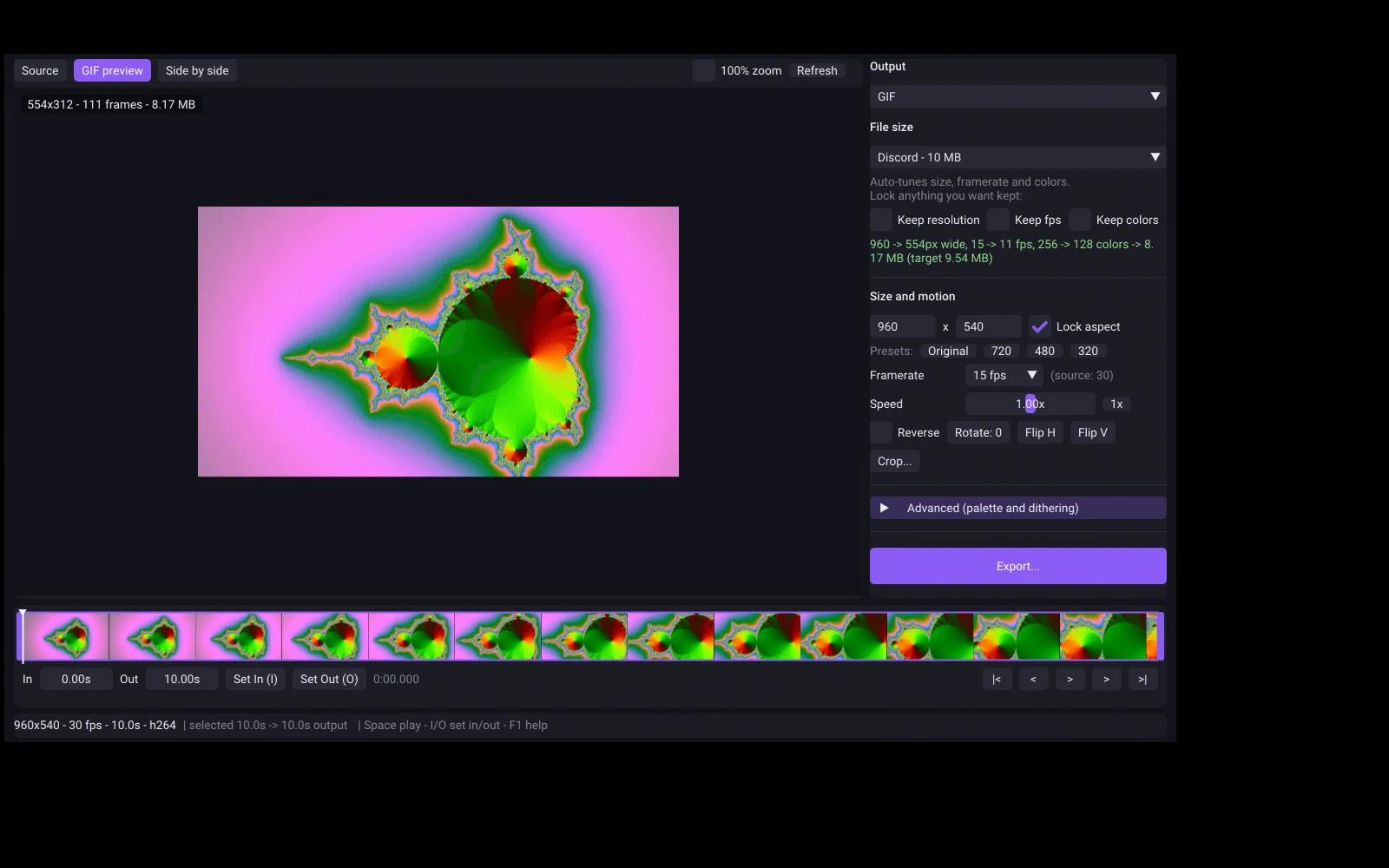
The app’s preset menu was written before Discord raised its free limit, so for Discord type the current number from this page as a Custom target rather than picking the older preset. One-time purchase on Steam, for Windows and SteamOS/Linux.
Related guides
- Discord GIF size limit: 20 MB free, 50 MB Nitro Basic, 500 MB Nitro, and 256 KB for emoji
Discord's current upload limits, read from Discord's own help pages on the date shown: 20 MB for free accounts since August 2026, 50 MB with Nitro Basic, 500 MB with Nitro, and under 256 KB for custom emoji. Plus how to make a GIF that fits first time with Simple GIF Maker.
- How to make a GIF smaller: what each setting costs, measured on one clip
Why GIFs are so big, and what shrinking one actually costs: width, frame rate, colours, dithering and length measured on the same clip with real file sizes and crops. Then the one-step way with Simple GIF Maker's size target, including shrinking a GIF you already have.
- GIFs for a GitHub README: the 10 MB limit, and how to keep UI captures crisp
GitHub allows 10 MB for images and GIFs attached to issues, pull requests and comments. How to add a demo GIF to a README, why README GIFs look soft, which width, frame rate and colour settings keep app UI crisp, and a measured 10 MB fit with Simple GIF Maker.
- GIFs for your Steam store page: the 5 MB and 15 MB rules, and a budget that fits
Steam's description guidelines ask for every image under 5 MB and all screenshots and GIFs together under 15 MB. How to split that budget across several GIFs, which width and frame rate to use, and a measured 5 MB fit with Simple GIF Maker. Written by a label that ships on Steam.