An ezgif alternative that runs offline: no upload cap, no length cap, and a size target
Web GIF converters hit a wall with long clips, big recordings, and footage you’d rather not upload. This page lists ezgif’s limits from its own page, and what Simple GIF Maker does differently as an offline app.
ezgif’s limits, from its own page
From ezgif’s video-to-GIF page on 16 Sep 2026:
- Upload size: “Max file size: 200MB.”
- Length depends on frame rate: “Maximum length at 5 fps is 60 seconds; at 10 fps it’s lowered to 30 seconds, and so on.” So at 20 fps you get about 15 seconds.
- Default selection: “If nothing is selected, the converter will make a GIF from the first five seconds of the video clip.”
- Retention: “All uploaded files are automatically deleted 1 hour after upload.” That’s still an upload.
Source: ezgif.com/video-to-gif.
Three consequences follow. A 4K gameplay recording is often over 200 MB before you’ve trimmed it. Anything you record at work, from a client’s screen, or from a game under NDA, shouldn’t go to a third-party server at all. And hitting a file-size limit there is trial and error: convert, check the size, resize, convert again.
What an offline app changes
Simple GIF Maker runs on your PC, on Windows and SteamOS/Linux:
- No upload cap. The app opens the file where it sits on your disk.
- No length cap beyond your patience. Trim on a thumbnail timeline instead of taking “the first five seconds”.
- Nothing leaves the machine. No hour on a server, no account, no queue.
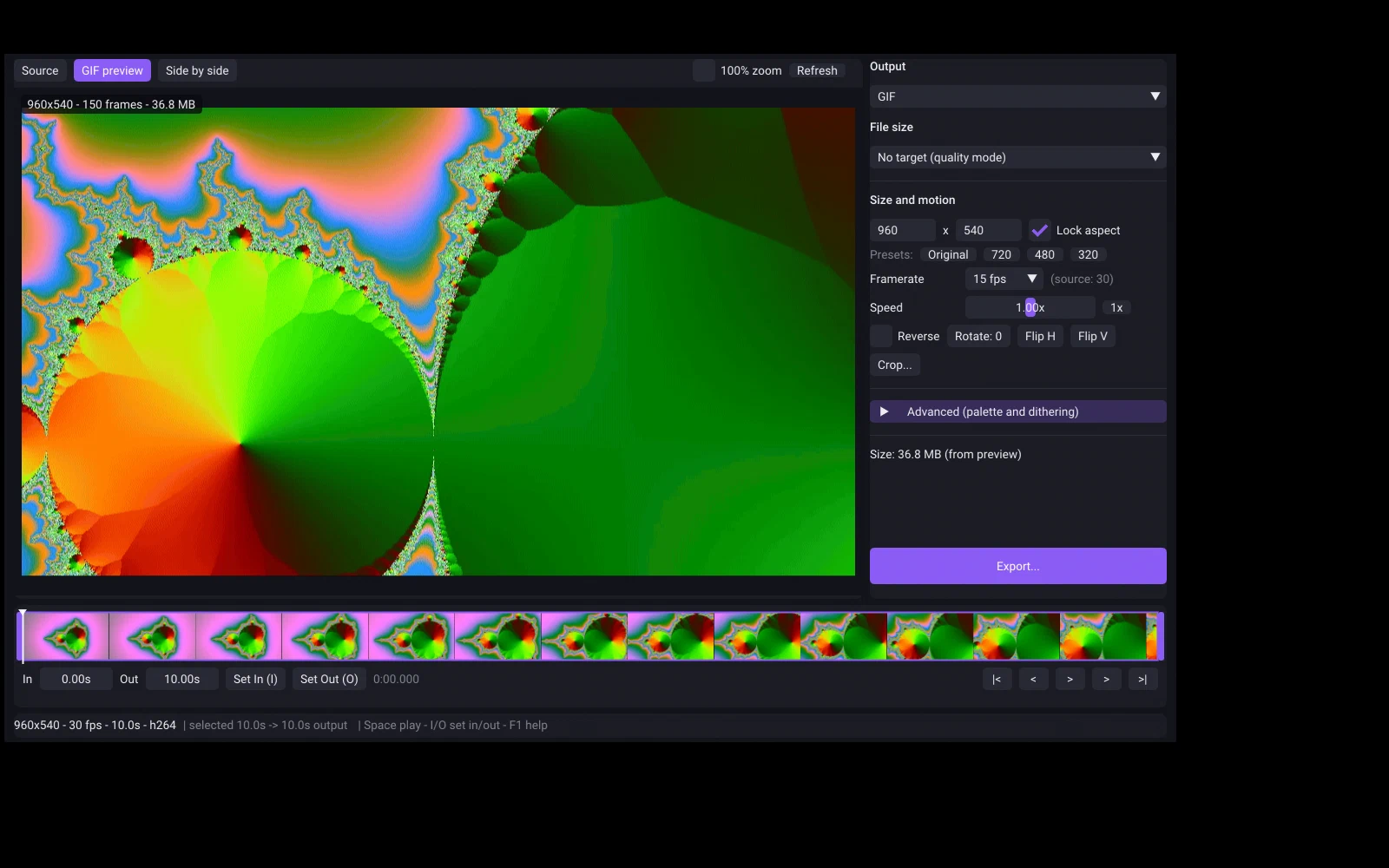
- A size target instead of trial and error. Type the limit; the app measures real encodes until one fits and tells you what it changed. In our tests a 10-second 1080p clip fitted under 20 MB in about a minute and under 10 MB in about 40 seconds on an 8-core desktop. Details are on the GIF size limits page.
- A preview that is the real GIF. The size shown is the size you get, before you export.
- Repeatability. The same settings give the same result tomorrow, with no ads and no “try premium”.
- GIF in as well as out. Drop an existing GIF in to shrink it, the job people use ezgif’s optimiser for.
What it doesn’t do
Simple GIF Maker converts video files to GIF or animated WebP; it doesn’t add text overlays, build GIFs from image sequences, or record your screen. The app’s page has the full what it doesn’t do list. If those are the jobs you need, it isn’t the right tool; if the job is “this clip, this size, on my machine”, it is. One-time purchase on Steam.
Related guides
- How to make a GIF smaller: what each setting costs, measured on one clip
Why GIFs are so big, and what shrinking one actually costs: width, frame rate, colours, dithering and length measured on the same clip with real file sizes and crops. Then the one-step way with Simple GIF Maker's size target, including shrinking a GIF you already have.
- Why some GIFs look good and others don't: palettes and dithering, measured
What separates a clean GIF from a blotchy one: a palette built from the clip itself, and the right dithering for the footage. Measured on one clip with real file sizes and enlarged crops, and how Simple GIF Maker makes those choices for you with a preview that is the real encode.
- Video to GIF on Linux and SteamOS: a native app with a size target, in Desktop Mode too
Convert MP4, MKV or WebM to GIF on Ubuntu, Fedora, Arch, Mint or SteamOS with Simple GIF Maker: a native, self-contained Linux build with a real preview and a file-size target, installed from Steam. Tested on this site's Linux build machine, with screenshots.