Discord GIF size limit: 20 MB free, 50 MB Nitro Basic, 500 MB Nitro, and 256 KB for emoji
Most pages that rank for this question still say 8 MB or 10 MB. Discord raised the free limit to 20 MB in August 2026. Here are the current numbers with links to Discord’s own pages, and a measured way to fit under them on the first try.
The limits, from Discord’s own pages
| What | Limit | Source |
|---|---|---|
| Upload, free account Raised from 10 MB in August 2026. Checked before compression on every platform. | 20 MB | Discord — File Attachments FAQ “For non-Nitro subscribers, the maximum file upload is 20MB.” |
| Upload, Nitro Basic | 50 MB | Discord — What are Nitro & Nitro Basic? “Nitro Basic offers a 50MB limit” |
| Upload, Nitro | 500 MB | Discord — What are Nitro & Nitro Basic? “Nitro gives you up to 500 MB” |
| Custom emoji (including animated GIF emoji) JPEG, PNG, GIF or WebP. | under 256 KB | Discord — How to Add Custom Emojis on Discord “Custom emojis must be under 256KB in size and use supported formats like JPEG, PNG, GIF, or WEBP.” |
From Discord’s File Attachments FAQ, three details matter for GIFs:
- The free limit is 20 MB as of August 2026, “up from 10MB”. Discord says it now checks the size before compression on mobile as well as desktop, “so the number you see is the number that counts”.
- An image over the limit is shared as a download instead of playing inline: “Any image that is larger than 20MB will be shared as a download instead.”
- Discord is experimenting with limits: “Select users may have the ability to upload larger file sizes.” If your friend can post a 30 MB GIF and you can’t, that’s why.
Custom emoji must be under 256 KB and can be JPEG, PNG, GIF or WebP, so an animated emoji is a GIF or animated WebP under a quarter of a megabyte. Stickers, avatars and profile banners have their own rules, but Discord’s pages for those didn’t load for us on the day we checked, so we don’t quote numbers for them here.
Why your GIF is over 20 MB
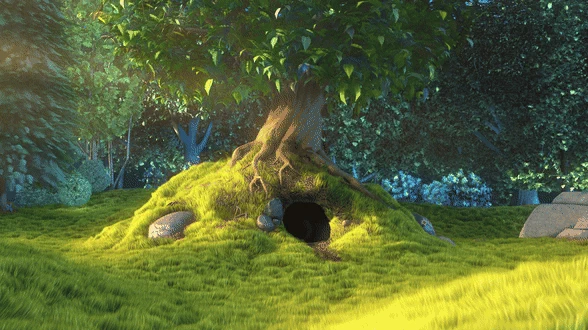
GIF is an old format: every frame is a full indexed-colour bitmap, so the file size is roughly pixels per frame × frames × noise. We encoded a 10-second 1080p clip from Big Buck Bunny (Blender Foundation, CC BY 3.0) at a range of widths and frame rates with the same two-pass palette pipeline the app uses. Real sizes, 16 Sep 2026:
| Width | 10 fps | 15 fps | 24 fps |
|---|---|---|---|
| 320 px | 4.2 MB | 5.8 MB | 8.4 MB |
| 480 px | 9.8 MB | 13.6 MB | 19.8 MB |
| 640 px | 17.8 MB | 25.1 MB | 36.6 MB |
| 800 px | 28.2 MB | 40.0 MB | 58.8 MB |
So a 10-second clip fits Discord’s free limit at about 480 px / 24 fps or 640 px / 10 fps, for this clip. Darker or flatter footage compresses better: the same 480 px / 15 fps settings on a stretch of the Sintel trailer produced 7.8 MB instead of 13.6 MB. There’s no universal “Discord setting”; it depends on the footage, which is why guessing takes several tries and why the app measures instead of guessing.
Hitting 20 MB on the first try
Simple GIF Maker takes the guessing out. You type a size, it encodes real GIFs and adjusts width, frame rate and colours until one fits, and it tells you what it traded. Two real runs from the app’s command-line mode, on an 8-core desktop, 16 Sep 2026:
| Clip | Target | What the app reported | Result | Time |
|---|---|---|---|---|
| Big Buck Bunny, 10 s, from 960 px / 24 fps | 20 MB | 960 -> 588px wide, 24 -> 16 fps, 256 -> 128 colors -> 17.6 MB (target 20.0 MB) | 17.6 MB | 62 s |
| Sintel trailer, 10 s, from 960 px / 24 fps | 20 MB | 960 -> 690px wide, 24 -> 18 fps, 256 -> 160 colors -> 16.6 MB (target 20.0 MB) | 16.6 MB | 23 s |
Note how the two clips ended up at different widths for the same target: the app measured its way there rather than applying a rule. Trimming helps too, and the app’s timeline makes it a two-click job: a 5-second version of the 480 px / 15 fps clip above was 6.8 MB against 13.6 MB for 10 seconds.
Type the current limit from the table at the top as a Custom target. The app’s preset list predates Discord’s August 2026 change, so don’t rely on the older preset.
Animated emoji under 256 KB
An emoji is tiny, so the limit is easy once the dimensions are right. In the app: set the width to 128 px, trim to a second or two, and set a custom target of 0.25 MB (crop to 1:1 first if you want a square emoji; a square frame has more pixels than the 16:9 frames below, and the size search takes care of it). Two real runs, each taking about a second:
| Clip | Settings | What the app reported | Result |
|---|---|---|---|
| Big Buck Bunny, 2 s | 128 px, 15 fps, target 0.25 MB | No compromises needed -> 177 KB (target 250 KB) | 177 KB |
| Sintel trailer, 2 s | 128 px, 15 fps, target 0.25 MB | No compromises needed -> 194 KB (target 250 KB) | 194 KB |


If a longer or busier clip doesn’t fit, the app will drop the frame rate and colours, and at 128 px the difference is hard to see. From our size tests at 128 px, a 2-second clip was 130 KB at 10 fps, 179 KB at 15 fps and 262 KB at 24 fps, so 24 fps is the one setting to avoid for emoji.
What about animated WebP?
Discord accepts animated WebP for custom emoji, and users report it plays inline in chat too (see the compatibility table in the WebP page linked below), and a WebP is far smaller than a GIF of the same clip: at 480 px / 15 fps our 10-second bunny clip was 13.6 MB as a GIF and 3.7 MB as a lossy WebP at quality 75. Simple GIF Maker exports both from the same trim and crop. Details and a compatibility table are in GIF vs animated WebP.
Related guides
- GIF size limits for Discord, GitHub, Steam and Slack, checked against the official pages
The current GIF and file upload limits for Discord, GitHub, Steam store pages and Slack, each with a link to the official page and the date it was checked, plus how Simple GIF Maker hits any of them on the first try.
- How to make a GIF smaller: what each setting costs, measured on one clip
Why GIFs are so big, and what shrinking one actually costs: width, frame rate, colours, dithering and length measured on the same clip with real file sizes and crops. Then the one-step way with Simple GIF Maker's size target, including shrinking a GIF you already have.
- GIF vs animated WebP: measured sizes, and where each one actually plays
The same clip encoded as a GIF and as an animated WebP with Simple GIF Maker's pipeline, with real file sizes, plus a compatibility table for browsers, Discord and GitHub with sources and dates. When WebP wins, when GIF is still the safe choice, and how the app exports both.