Game text too small? Why it happens, what the settings can do, and a lens for the rest
The r/Games thread “Modern video games and their teensy tiny text size” had nearly five thousand upvotes as of September 2026, and no answer. This is the answer: what’s going on, what the settings can do, and what to do about the text they can’t reach.
Why it happens
Game interfaces are mostly drawn at a fixed pixel size. A label that’s 14 pixels tall was designed on a 1080p monitor, where it took a certain share of the screen. On a 1440p monitor the same 14 pixels are a smaller share; at 4K they’re a quarter of the area. Meanwhile monitors got bigger and we sit at the same distance, so a lot of games now render UI text at a physical size nobody would print a book in.
Here’s how small, worked out from the numbers rather than guessed. A 14-pixel-tall label on a 27-inch monitor:
| Resolution | Pixel pitch | Height of a 14-px label |
|---|---|---|
| 1920 × 1080 | 0.311 mm | 4.4 mm |
| 2560 × 1440 | 0.233 mm | 3.3 mm |
| 3840 × 2160 | 0.155 mm | 2.2 mm |
(Pixel pitch is the monitor’s width, 597.9 mm for a 27-inch 16:9 panel, divided by its horizontal pixels; the label height is 14 × pitch.) For comparison, the body text in a paperback is about 2 mm tall for lowercase letters, but you hold a paperback 30–40 cm away and sit 60–80 cm from a monitor. A 2.2 mm capital at 70 cm is a small-print warning label. That’s the 4K problem in one row.
What the settings can do
The game’s own UI scale. Look in the video or interface settings for UI scale, HUD scale, text size or font size. Many games added one in the last few years, some don’t have it, and some have it but it clips (the r/civ thread “Increasing text font size just slides text off the screen”). Try the largest value that still fits. Our game pages (Crusader Kings III, Stellaris, Civilization, Baldur’s Gate 3) go through what each one’s setting does and doesn’t do.
Windows display scaling. Settings → System → Display → Scale makes the desktop bigger, and games that respect it (mostly windowed ones) get bigger too. The cost is that games that don’t handle DPI render at the smaller size and get upscaled by Windows, which blurs everything, not just the text.
A lower resolution. Everything gets bigger, including the text, at the cost of sharpness everywhere. On a 4K monitor you bought for sharpness, that’s the wrong trade.
What the settings can’t reach
Even in games with a scale setting, some elements stay small: tooltips, item descriptions, map labels, the quest log, a dense council screen. Scaling the whole interface enough to read those takes screen away from the game and often breaks the layout. That’s the gap Second Look is built for.
Press a hotkey and the area under the pointer enlarges in place, up to 5×, and follows the pointer. It upscales with AMD FidelityFX Super Resolution 1.0 and runs a text-sharpening pass, so the enlarged text has edges rather than being a bigger blur. A dark-scene lift brightens dim menus inside the lens only. Hotkeys work while the game has focus (a bare Shift, mouse buttons 4 and 5, hold or toggle, controllers), and there’s a profile per game. Nothing in the game changes: no mods, no config edits, no achievements at risk.
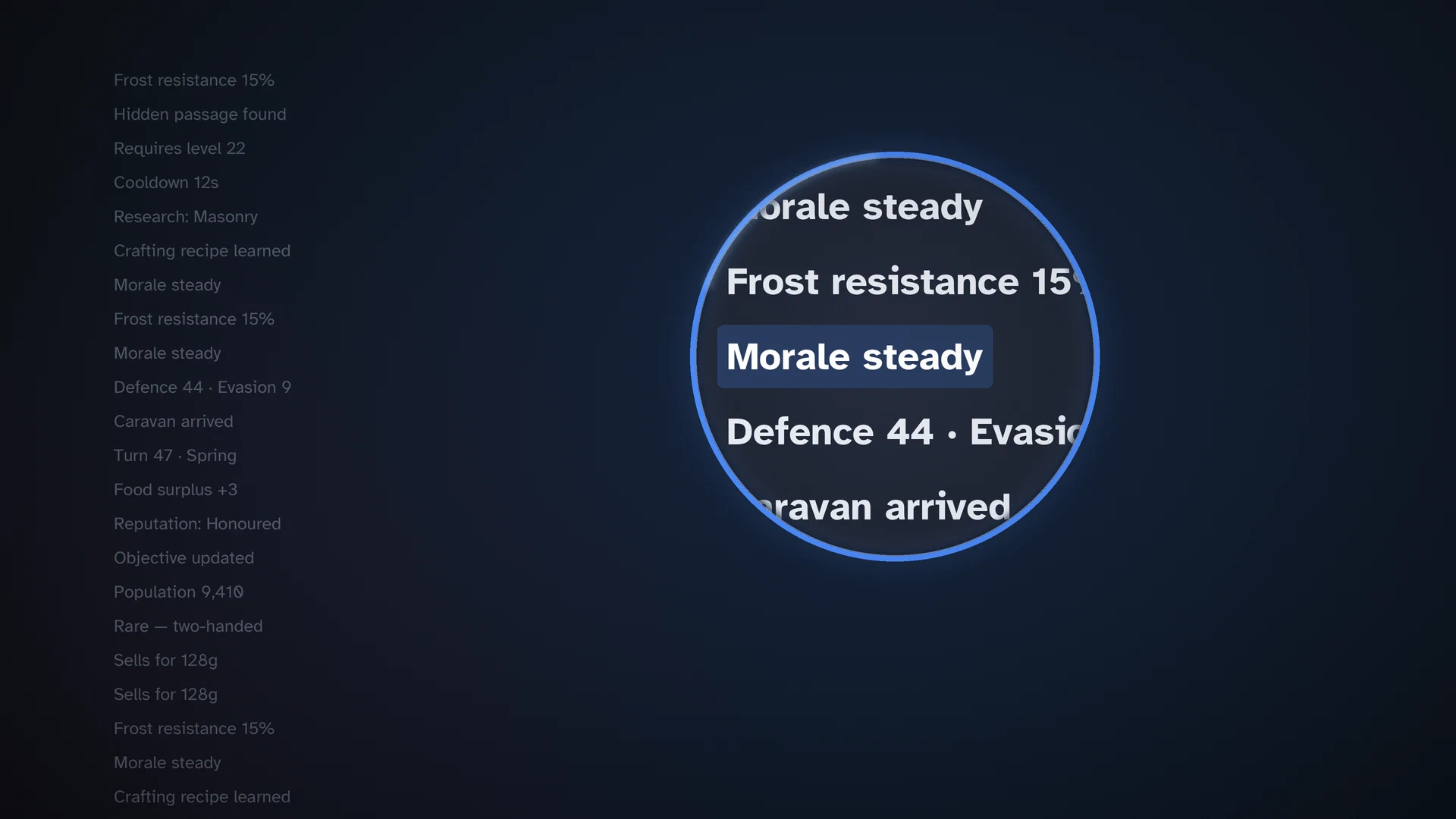
Two honest limits: no overlay can draw over exclusive fullscreen (run the game in borderless windowed mode), and games with kernel-level anti-cheat block magnifiers and may ban you. Second Look’s page lists the games it won’t support, above the fold, before you buy. It runs on Windows 10 (2004+) and 11 and on SteamOS in Desktop Mode, and it’s a one-time purchase on Steam.
In order
- Max out the in-game UI scale.
- If the game ignores Windows scaling and blurs, leave scaling alone.
- For the tooltips, logs and labels that stay small, point at them with Second Look.
Related guides
- PC gaming with low vision: a practical setup guide
A setup guide for PC gaming with low vision or poor eyesight: monitor size and distance, OS scaling and contrast, cursor size, the in-game accessibility settings to look for, audio cues, and Second Look, a sharp lens under the cursor for the text that stays small. No medical claims.
- A game magnifier for KDE Plasma 6 (Wayland): why the built-in zoom isn't enough for reading games, and a lens that is
On KDE Plasma 6 under Wayland, the built-in Zoom effect magnifies the whole desktop and pixelates at high zoom. Second Look is a lens that enlarges only what's under the pointer, sharpened, with hotkeys and per-game profiles, built for KWin. Steam Deck Desktop Mode included. Not GNOME, not X11.