Simple Voice Changer
Voice changer and soundboard for Discord, games and streams: neural voices on your CPU, your own RVC character models, or classic effects. It has its own site now, simplevoicechanger.io.
SECOND LOOK — SCREEN MAGNIFIER FOR GAMING AND LOW VISION
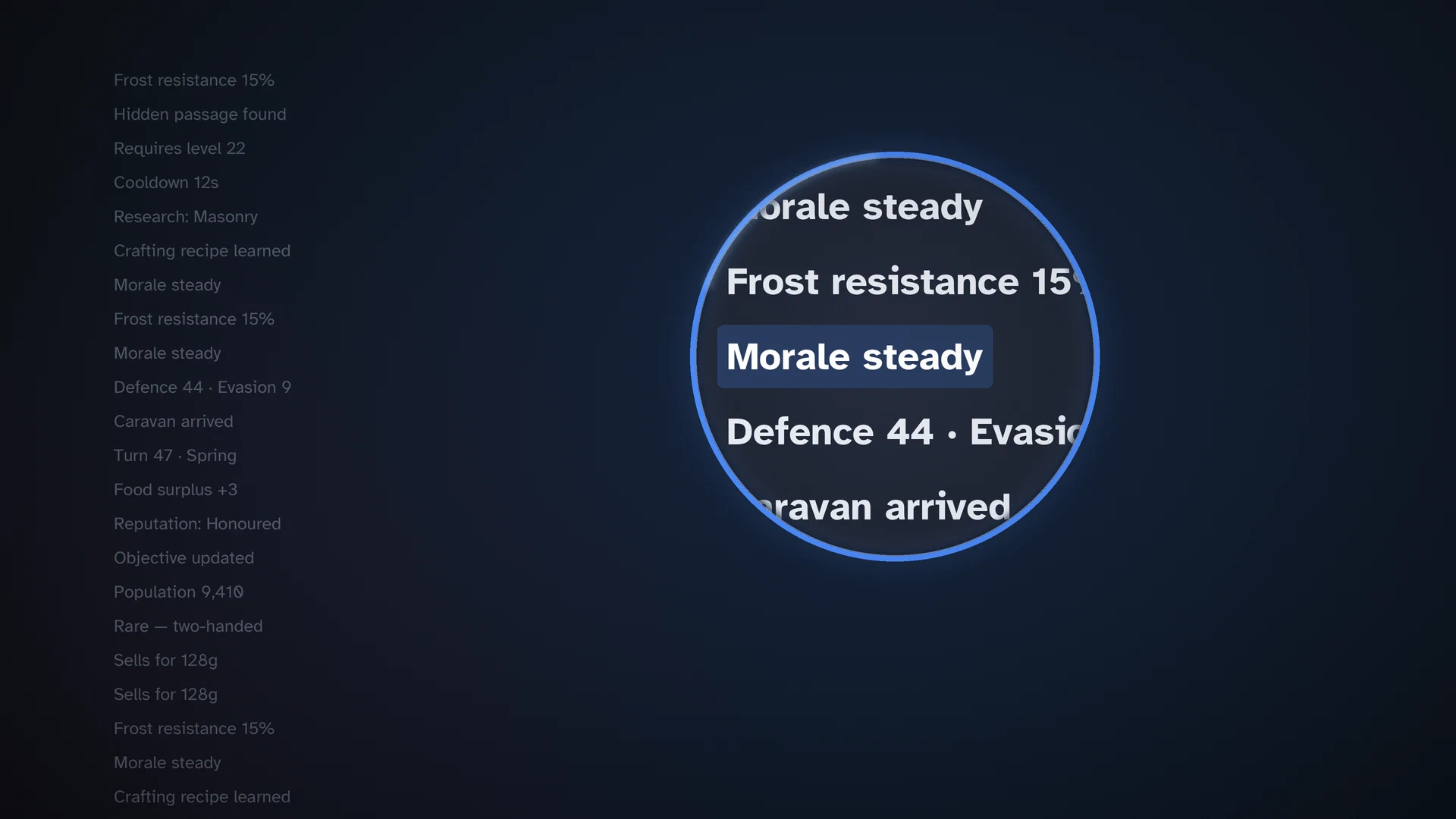
Point at the text you can't read and it enlarges, sharp, right under your cursor: quest logs, tooltips and map labels in strategy games and RPGs, for eyes that struggle with small text.
Windows + SteamOS Desktop Mode · one-time purchase · no account
Windows 10 (2004+) / 11 · SteamOS Desktop Mode · Linux: KDE Plasma 6 (Wayland)
Reading, in games that don’t have a UI scale or whose scaling blurs. Strategy: Civilization VI/VII, Crusader Kings III, Stellaris, Europa Universalis IV, Old World, Total War: Warhammer III. RPGs: Baldur’s Gate 3, Cyberpunk 2077, The Witcher 3, Divinity: Original Sin 2, Disco Elysium, Pillars of Eternity II. Simulation and management: Cities: Skylines II, Factorio, RimWorld, Football Manager, Microsoft Flight Simulator, X4, Anno 1800. Co-op without kernel anti-cheat: Deep Rock Galactic, Satisfactory, Valheim.
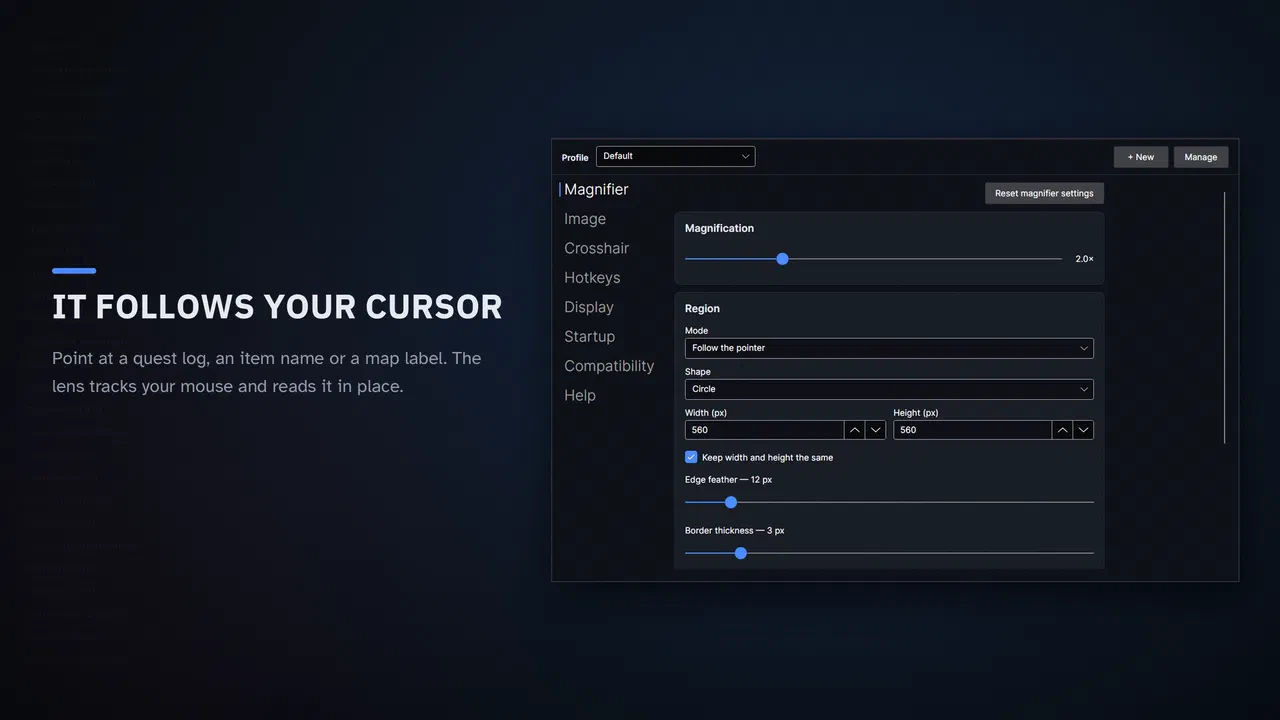
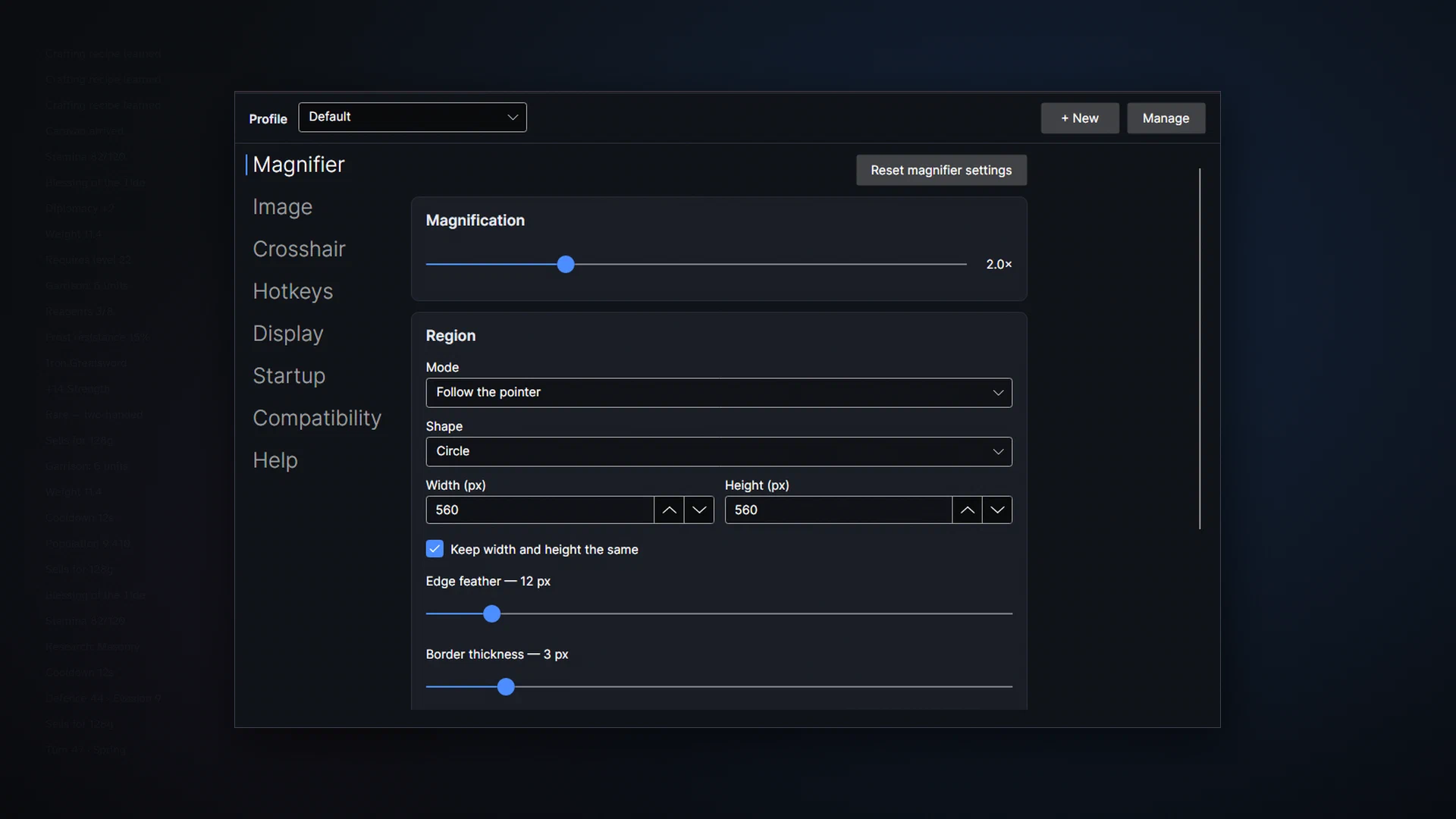
Press a hotkey, and the area under the pointer enlarges in place and follows the pointer. Up to 5×, in 0.1 steps (the default is 2×). Two other modes when the lens is the wrong shape for the job: a fixed region you can move (off a minimap, say) and the screen centre.
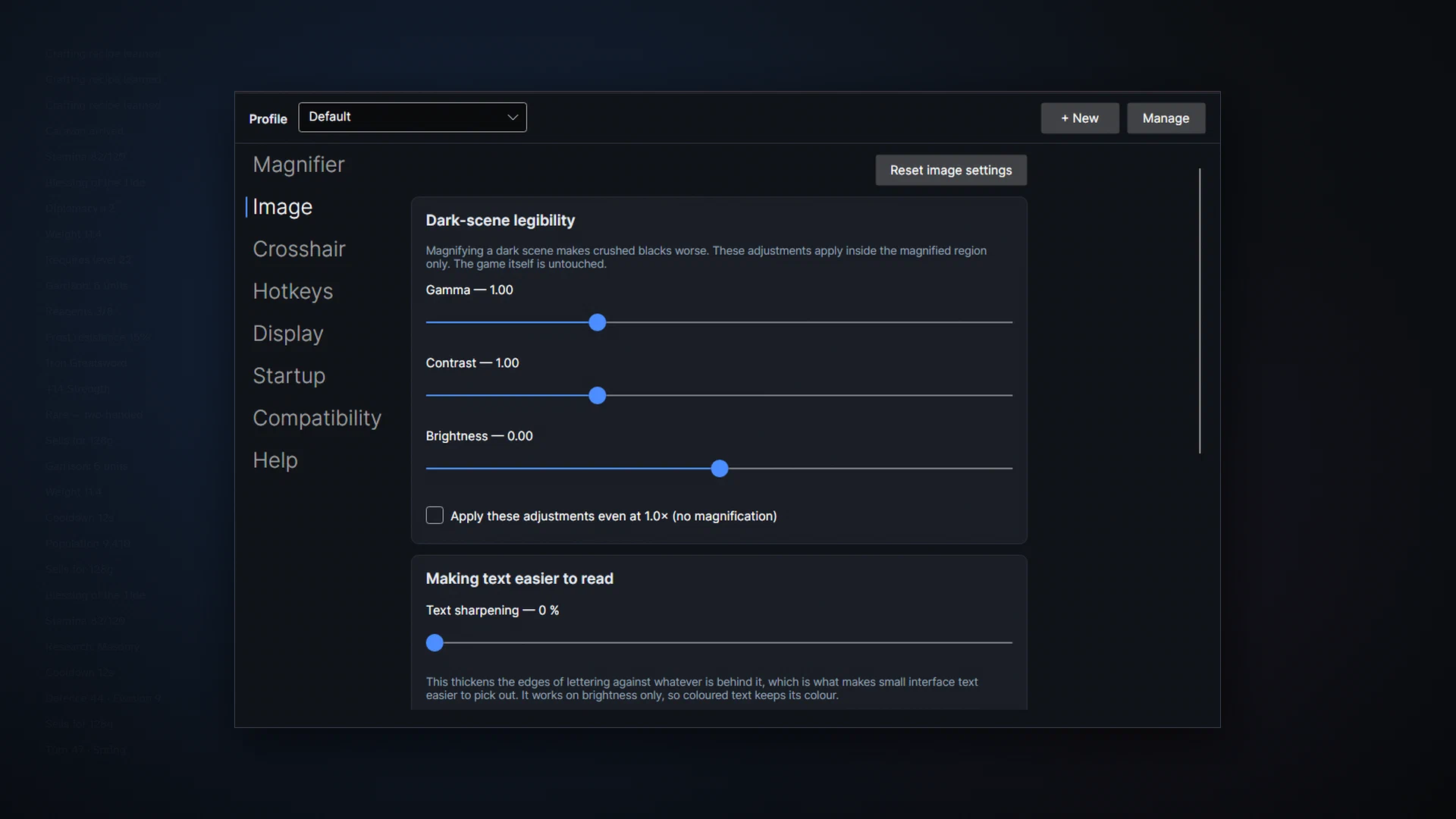
Magnified pixels usually look like magnified pixels. Second Look upscales with AMD FidelityFX Super Resolution 1.0 (edge-adaptive), adds optional sharpening, and runs a text-sharpening pass that thickens lettering against whatever is behind it. Three quality tiers: Fast, Balanced (the default) and Sharp.
Gamma, brightness and contrast inside the lens only, so a dim menu or a night scene reads without changing the game’s own settings. It works even at 1×, as a plain readability lift.
Colour filters for low-vision and colour-blind players, again inside the lens. They’re colour filters, not a correction for colour blindness.
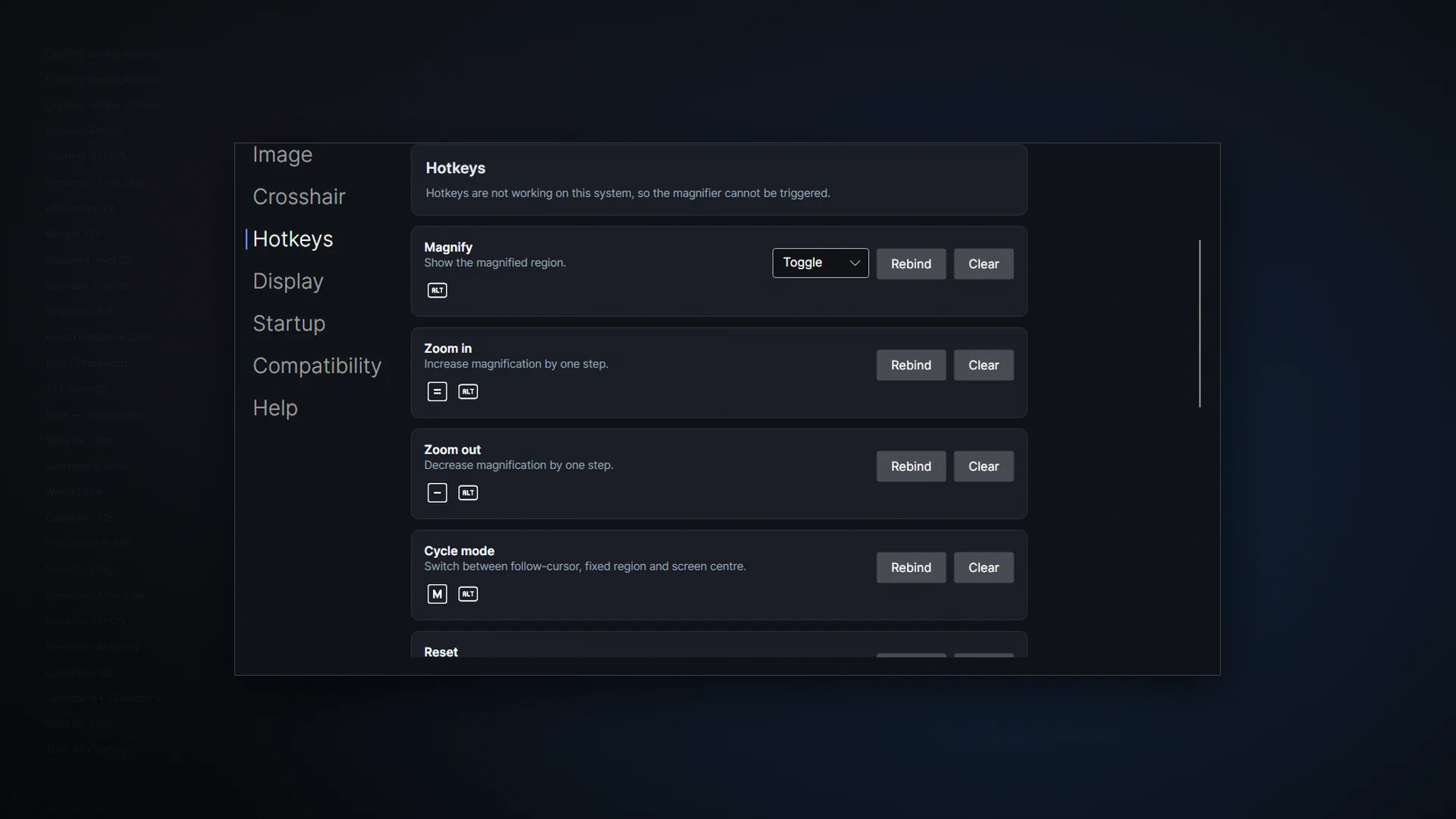
A bare left Shift, mouse buttons 4 and 5, left and right modifiers told apart, hold or toggle, and controllers through generic HID. Named profiles per game, saved the moment anything changes.
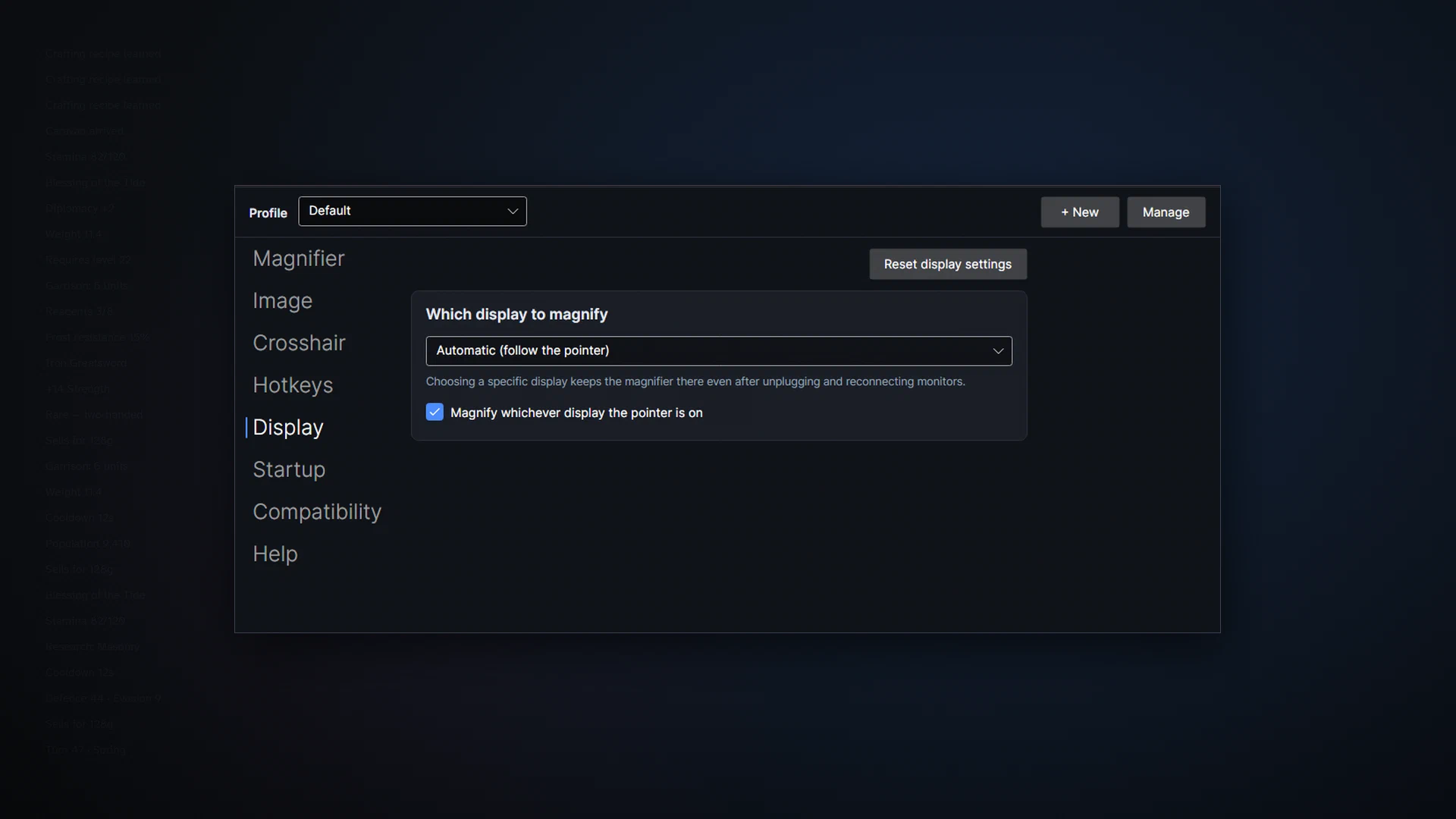
The lens follows the pointer across displays, or pins to one. Hot-plugging a monitor is handled.
With zoom off there is no capture session, no frame pool, no timer, no polling. Closing the window exits the app; tray and autostart are opt-in. When it does run, our own testing showed no measurable frame-rate cost; we don’t publish a percentage because we can’t stand behind one on every PC.
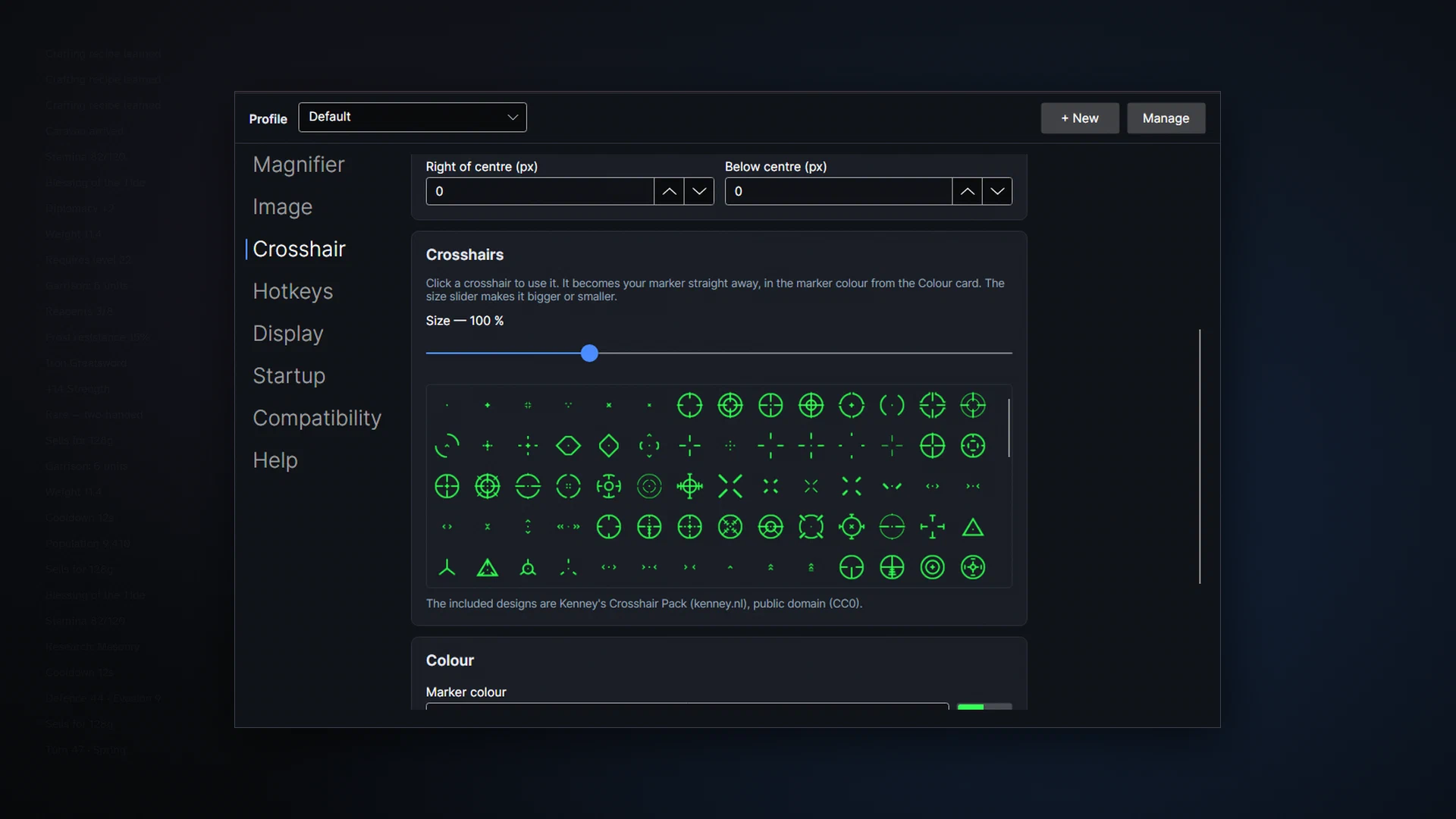
There’s an optional crosshair with 200 designs (from Kenney’s public-domain crosshair pack), any colour and size, centred or following the pointer, saved per profile. It’s off by default, visible in recordings, and covered by the same anti-cheat caution as the magnifier. It’s a convenience for the games this app is for, not the reason to buy it.
No hooking, injection or game-memory access. No hidden process, launch flags or “compatibility mode”. No telemetry, no analytics, no network connections of any kind. No Steam DRM wrapper: it runs without Steam once installed, and an autostart launch doesn’t start Steam, so it adds no Steam playtime.
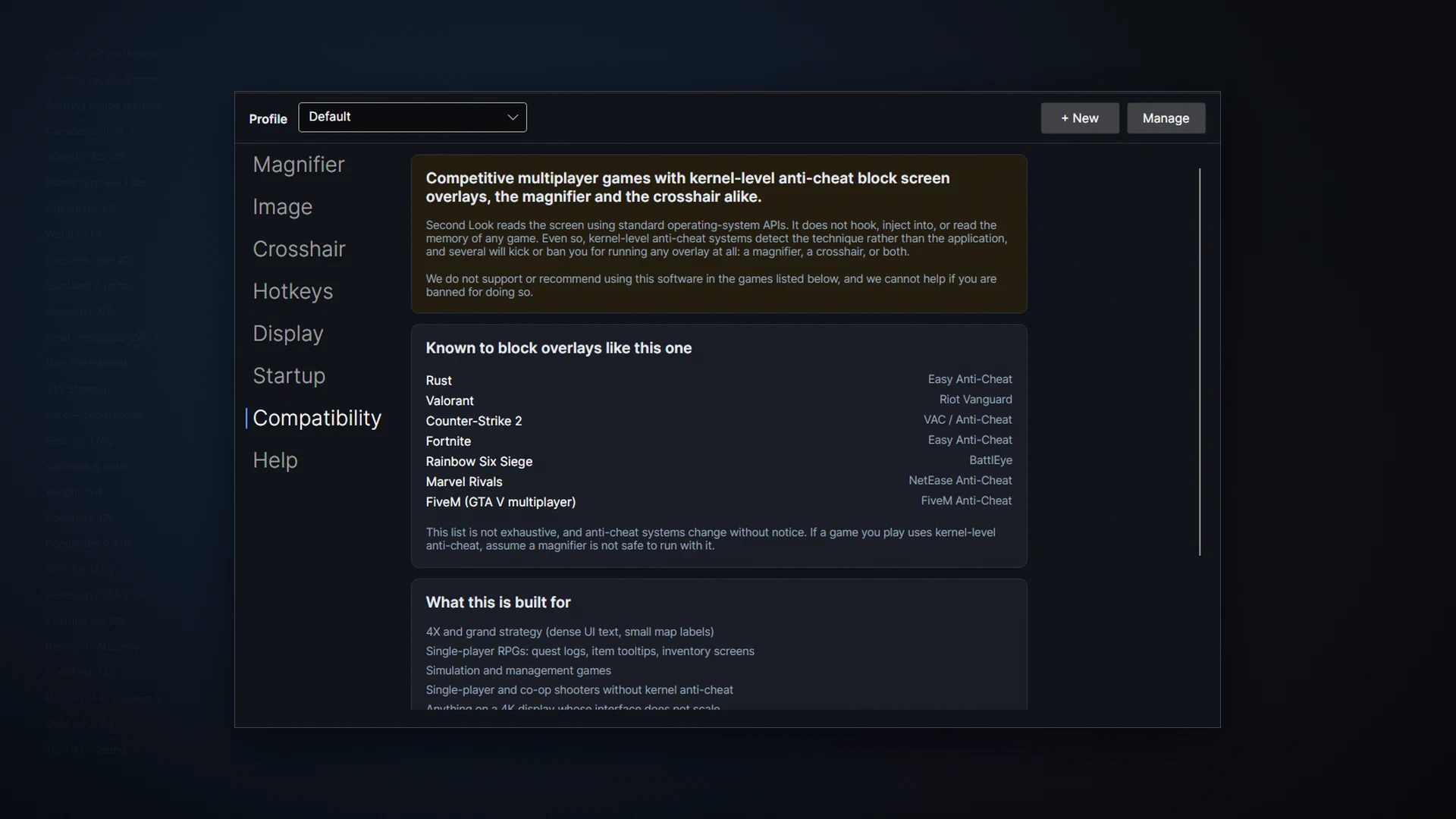
%APPDATA%\SecondLook\settings.json on Windows and $XDG_CONFIG_HOME/second-look/settings.json on Linux.In games with kernel-level anti-cheat, it can. The blocked list is in the box at the top of this page and in the app on first run. Second Look doesn’t hook or inject into games, but anti-cheat detects the screen-capture technique itself. Use it in single-player, co-op and strategy games.
In Desktop Mode, yes, fully. In Game Mode, no, and the app tells you (SteamOS has its own magnifier there). On other Linux systems it needs KDE Plasma 6 on Wayland.
When zoom is off, nothing runs. With the lens up, our own testing showed no measurable frame-rate cost. We don’t publish a percentage because we can’t stand behind it on every PC.
The lens sits on the pointer, over the very area it’s reading. If recordings captured it, it would magnify itself over and over. So it’s held out of capture. The crosshair does show.
The game is probably in exclusive fullscreen, which no overlay can draw over. Switch the game to borderless or windowed.
No. It doesn’t speak, read text aloud or do OCR, and it isn’t a replacement for a full assistive-technology suite. It’s a lens for reading game interfaces by pointing.
On KDE Plasma 6 under Wayland, the built-in Zoom effect magnifies the whole desktop and pixelates at high zoom. Second Look is a lens that enlarges only what's under the pointer, sharpened, with hotkeys and per-game profiles, built for KWin. Steam Deck Desktop Mode included. Not GNOME, not X11.
Why text in modern games is so small, especially at 1440p and 4K, with a worked example of how small it really is on common monitors; what in-game UI scale and Windows display scaling can and can't fix; and Second Look, a sharp lens under your cursor for the tooltips, quest logs and map labels that stay small.
A setup guide for PC gaming with low vision or poor eyesight: monitor size and distance, OS scaling and contrast, cursor size, the in-game accessibility settings to look for, audio cues, and Second Look, a sharp lens under the cursor for the text that stays small. No medical claims.
Voice changer and soundboard for Discord, games and streams: neural voices on your CPU, your own RVC character models, or classic effects. It has its own site now, simplevoicechanger.io.
Batch-convert folders of HEIC, WebP and AVIF images to JPG or PNG, offline, with location data stripped by default.
Turn a video clip into a GIF or animated WebP that fits a file-size limit on the first try. Offline, Windows and Linux.
Force any game borderless or into a real window, on the monitor you want. Rules, tab groups and one-click undo. No admin rights.
A cozy idle railway game in a strip along the edge of your desktop. Trains keep running while you work, and the town grows.
Windows + SteamOS Desktop Mode · one-time purchase · no account. Price and any current discount are shown on Steam.